As organizations accelerate cloud adoption, user identities have become the primary security battleground. With cyber threats evolving rapidly, robust identity and access management is no longer optional — it is foundational to any modern security strategy.
This is where Microsoft Entra ID comes in. Formerly known as Azure Active Directory (Azure AD), Microsoft officially rebranded the product to Microsoft Entra ID in 2023. The capabilities and licensing tiers carried over; only the name changed. If you are still seeing “Azure AD” in older documentation or licensing agreements, it refers to the same product.
In this guide, we explore every current Entra ID plan — Free, P1, P2, and the Entra Suite — compare their features and pricing accurately, and help you choose the plan that best fits your organization’s security and compliance goals.
- Understanding Microsoft Entra ID (Azure AD)
- Overview of Microsoft Entra ID Plans
- Microsoft Entra ID (Azure AD) Plans: Quick Feature Comparison
- Entra ID Free — The Starting Point
- Microsoft Entra ID P1 — The Secure Foundation
- Microsoft Entra ID P2 — Automated Governance and Risk Detection
- Microsoft Entra Suite — The Complete Identity Platform
- Making the Right Choice for Your Business
- How Can Soluzione Help?
- Conclusion
- Frequently Asked Questions
Understanding Microsoft Entra ID (Azure AD)
Microsoft Azure Active Directory, or popularly known as Microsoft Azure AD, is a cloud-based identity and access management (IAM) service. It allows employees, partners, and customers of your organization to securely access the applications and resources seamlessly from anywhere.
Unlike traditional on-premises Active Directory, Entra ID is built for the cloud. It supports hybrid environments, integrates with Microsoft Intune for device management, and syncs with both Windows and non-Windows machines seamlessly.
As cyber threats continue to grow — with many attacks starting from compromised accounts or stolen credentials — organizations are increasingly investing in advanced identity protection. Choosing the right Entra ID plan is a key step in that journey.
Overview of Microsoft Entra ID Plans
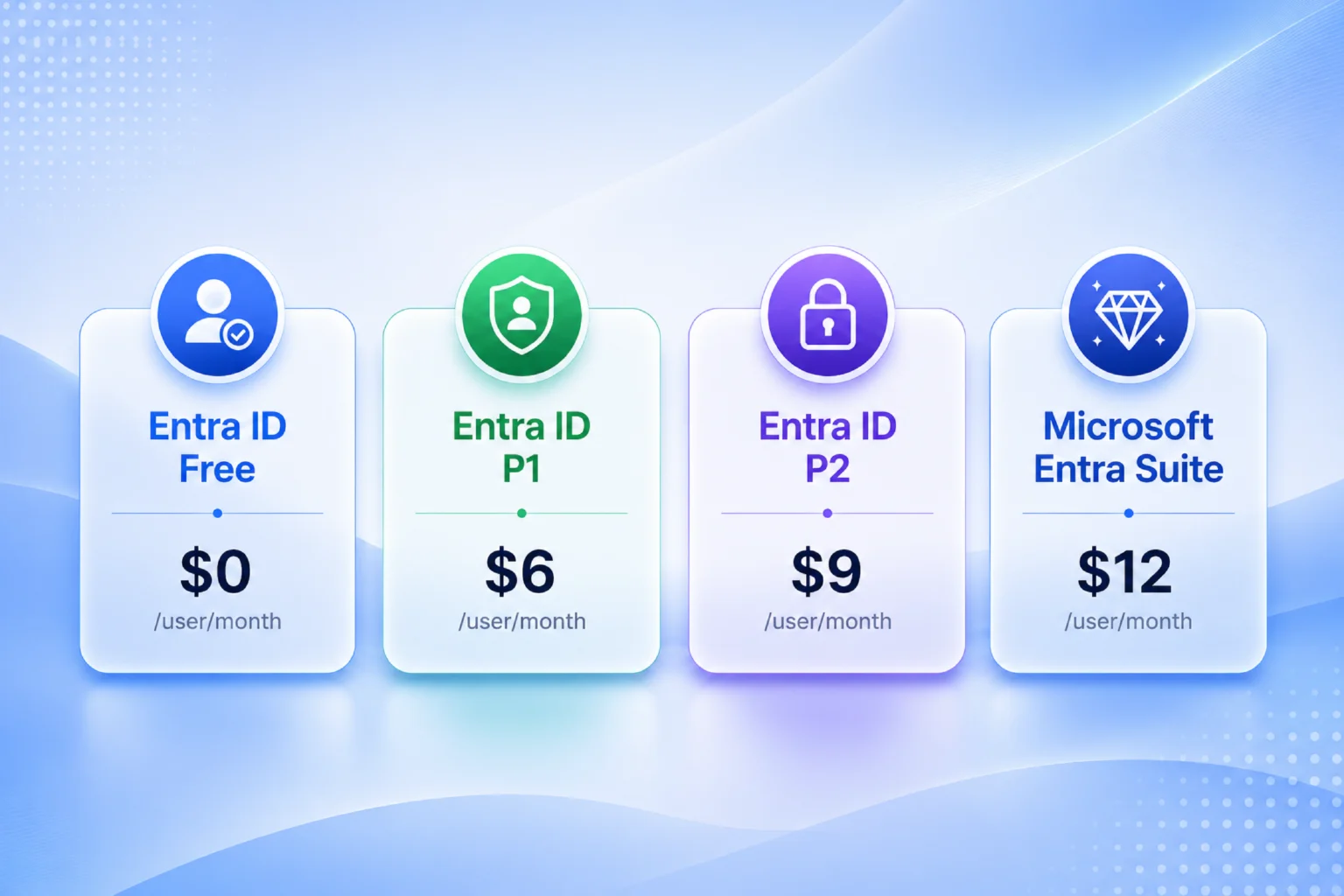
Microsoft offers multiple Entra ID plans, and each is designed to fulfill different business goals:
- Entra ID Free — bundled with every Microsoft 365 and Azure subscription
- Entra ID P1 — $6/user/month (or included in Microsoft 365 E3, Business Premium, F1, F3)
- Entra ID P2 — $9/user/month (or included in Microsoft 365 E5)
- Microsoft Entra Suite — $12/user/month (included in Microsoft 365 E7, available from May 2026)
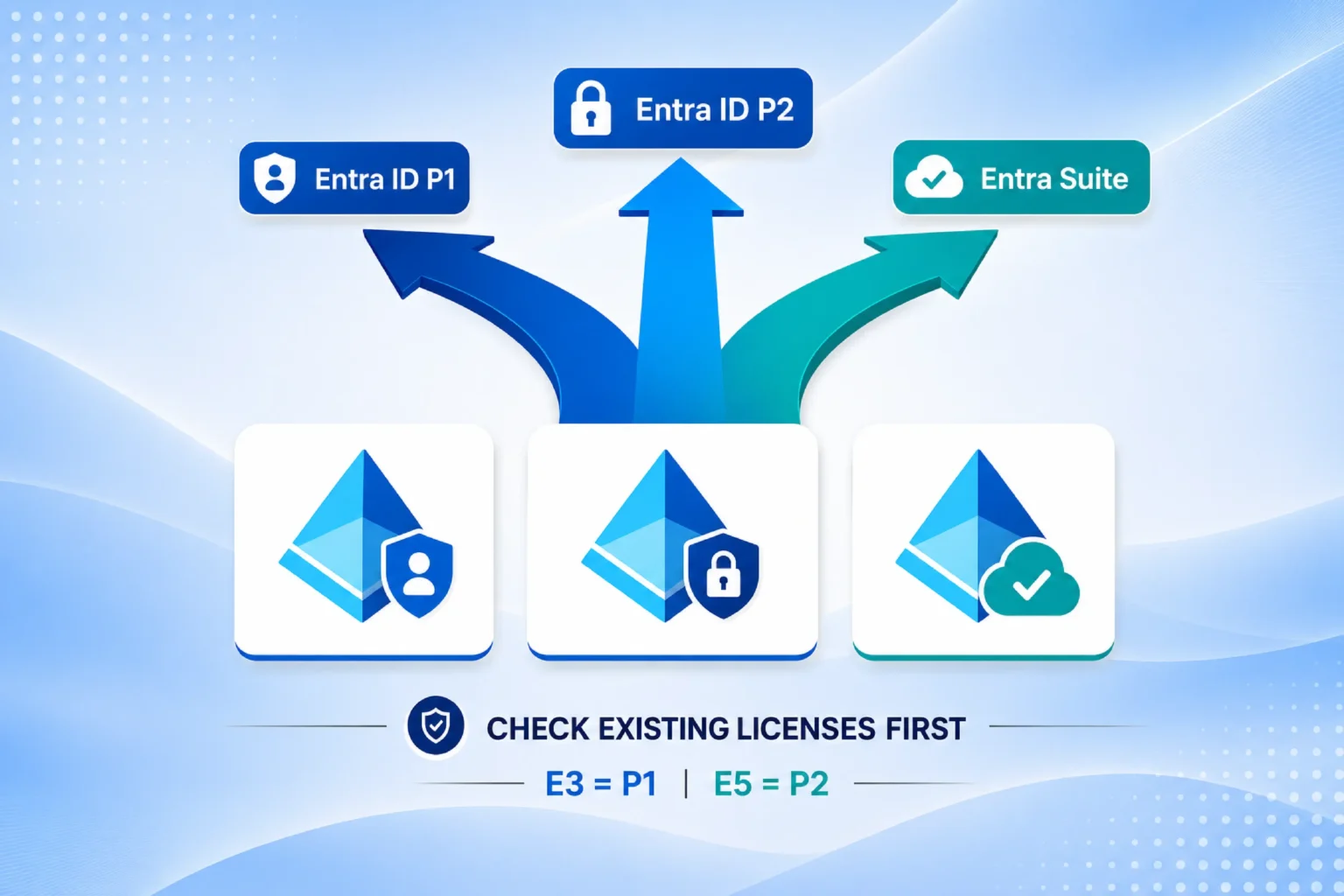
Important: Microsoft 365 E3 already includes Entra ID P1, and Microsoft 365 E5 already includes Entra ID P2. If your organization is on either of these plans, check whether you already own the identity capabilities you need before purchasing standalone Entra licenses — this is a common source of overspend.
Microsoft Entra ID (Azure AD) Plans: Quick Feature Comparison
The table below provides a current feature comparison across all paid plans, based on publicly available information.
| Feature / Capability | Entra ID P1 | Entra ID P2 | Entra Suite |
| Price (per user/month) | $6 USD | $9 USD | $12 USD |
| Multi-Factor Authentication (MFA) | ✔ | ✔ | ✔ |
| Conditional Access | ✔ | ✔ | ✔ |
| Self-Service Password Reset (SSPR) | ✔ | ✔ | ✔ |
| Dynamic Groups | ✔ | ✔ | ✔ |
| Hybrid Identity Support | ✔ | ✔ | ✔ |
| Application Proxy | ✔ | ✔ | ✔ |
| Identity Protection (Risk-Based Policies) | ✘ | ✔ | ✔ |
| Privileged Identity Management (PIM) | ✘ | ✔ | ✔ |
| Access Reviews | ✘ | ✔ | ✔ |
| ID Governance (Entitlement Mgmt + Lifecycle Workflows) | ✘ | ✘ (add-on: $7/user/month) | ✔ |
| Private Access (ZTNA for on-prem apps) | ✘ | ✘ | ✔ |
| Internet Access (web filtering, AI app controls) | ✘ | ✘ | ✔ |
| Verified ID Premium (Face Check) | ✘ | ✘ | ✔ |
| Included in Microsoft 365 | E3, Business Premium, F1, F3 | E5 | E7 (from May 2026) |
Note: Prices are in USD (annual commitment). Actual cost may vary by region, licensing agreement, and whether the plan is purchased standalone or via a Microsoft 365 bundle. Always verify with the Microsoft official page or with an official licensing partner like Soluzione.
Entra ID Free — The Starting Point
Entra ID Free is included with every Microsoft cloud subscription — Microsoft 365, Azure, and Dynamics 365 — at no additional cost. It provides a solid foundation for basic identity management:
- Basic user and group management
- Single Sign-On (SSO): unlimited apps, with limited application integration options
- Multi-Factor Authentication (MFA): tenant-level controls only, without granular per-user policy
- Self-Service Password Reset (SSPR) for cloud-only users
- Basic security reports and audit logs
The Free tier is a reasonable starting point for small organizations with simple needs, but it lacks the granular control, hybrid identity features, and risk detection that growing organizations require.
Microsoft Entra ID P1 — The Secure Foundation
Entra ID P1 is priced at $6 per user per month (annual commitment) and is the entry-level paid tier for organizations that need stronger access controls, hybrid identity support, and policy-driven security. It is the most widely deployed paid tier and is already included in Microsoft 365 E3, Business Premium, F1, and F3.
P1 builds on the Free tier with the following key capabilities:
1. Conditional Access
Conditional Access is P1’s flagship feature. It allows administrators to define intelligent, policy-driven access rules — for example, enforcing MFA when a user signs in from an unrecognized device or an unusual location, or blocking access entirely from non-compliant devices. P1 provides standard Conditional Access based on manually defined conditions (device compliance, location, group membership). Note: risk-based Conditional Access — where policies adapt automatically based on detected threats — requires P2.
2. Self-Service Password Reset (SSPR) with Password Writeback
P1 extends SSPR to hybrid environments. Users can reset their passwords from the cloud, and the change is automatically written back to the on-premises Active Directory. This reduces IT helpdesk workload while maintaining consistency across environments.
3. Dynamic Group Management
Administrators can configure groups that automatically add or remove users based on organizational attributes such as department, job title, or location — eliminating manual group maintenance.
4. Hybrid Identity Support
P1 enables seamless identity synchronization between on-premises Active Directory and Entra ID, supporting organizations that operate in hybrid cloud environments.
5. Application Proxy
Provides secure remote access to on-premises web applications without requiring a VPN, using Entra ID as the authentication layer.
6. Microsoft Authenticator and Passwordless Sign-In
P1 supports Microsoft Authenticator passwordless sign-in, FIDO2 security keys, and Temporary Access Pass — enabling phishing-resistant authentication for end users.
Who should use P1: Small to mid-sized organizations adopting a Zero Trust security architecture that need policy-driven access controls and hybrid identity management, but do not yet require automated risk detection or governance of privileged accounts.
Microsoft Entra ID P2 — Automated Governance and Risk Detection
Entra ID P2 is priced at $9 per user per month (annual commitment) and includes everything in P1 plus a layer of intelligent, automated security. It is included in Microsoft 365 E5.
The key difference between P1 and P2 is not just more features — it is a fundamentally different approach to security. P1 requires administrators to manually define access policies based on known conditions. P2 adds continuous risk scoring and automated threat response, allowing the system to act before an administrator spots a threat.
Key features exclusive to P2:
1. Identity Protection (Risk-Based Access Policies)
Entra ID P2 continuously monitors every sign-in using Microsoft’s global threat intelligence. It assigns a risk score to each sign-in and user based on signals such as leaked credentials, sign-ins from unfamiliar locations, atypical travel patterns, or anonymous IP addresses. When risk is detected, P2 can automatically block access, enforce MFA step-up, or trigger a password reset — without waiting for administrator intervention. This is a qualitative upgrade over P1’s static Conditional Access policies.
2. Privileged Identity Management (PIM)
PIM is one of P2’s most impactful features for security-conscious organizations. It eliminates standing administrator privileges by providing just-in-time (JIT) access to privileged roles. Instead of having permanent admin rights, users request elevated access only when needed. The access is granted for a defined period (e.g., 2 hours) and automatically expires. PIM also requires justification, provides approval workflows, and generates audit trails — significantly reducing the risk of insider threats and compromised admin accounts.
3. Access Reviews
P2 automates the periodic review of user and privileged access rights. Managers and application owners are prompted to confirm that users still require the access they hold. Stale or unnecessary permissions are flagged for removal, which strengthens compliance posture and reduces the attack surface.
4. Risk-Based Conditional Access
Building on standard Conditional Access (P1), P2 adds policies that respond dynamically to the risk scores generated by Identity Protection. For example, a policy can enforce MFA only when a sign-in risk is classified as medium or higher — reducing friction for normal sign-ins while tightening controls under suspicious conditions.
Who should use P2: Organizations in regulated industries (finance, healthcare, government), organizations with privileged administrator accounts to protect, and any business that needs automated threat detection and identity governance. P2 is also the right choice before investing in the Entra Suite, as the Suite requires P1 as a prerequisite and P2 customers receive special Suite pricing.
Licensing note: You do not need to license every user on P2. Only users who actually use P2 features — such as administrators subject to PIM, or users whose sign-ins are governed by risk-based policies — need a P2 license. This can make P2 more cost-effective than it first appears for organizations where only a subset of users requires advanced protection.
Microsoft Entra Suite — The Complete Identity Platform
The Microsoft Entra Suite is priced at $12 per user per month and represents Microsoft’s full-stack identity and secure access offering. It requires an Entra ID P1 license as a prerequisite (special pricing is available for P2 and Microsoft 365 E5 customers).
The Entra Suite bundles five products on top of P1/P2:
- Entra ID Protection: the same risk-based protection found in P2
- Entra ID Governance: full entitlement management and lifecycle workflows (joiner, mover, leaver automation)
- Entra Private Access: Zero Trust Network Access (ZTNA) for on-premises applications, replacing legacy VPN for application-level access
- Entra Internet Access: web content filtering, FQDN filtering, AI app controls, and context-aware network security for cloud and internet traffic
- Verified ID Premium with Face Check: decentralized identity verification with biometric matching
The Entra Suite is Microsoft’s converging answer to Secure Service Edge (SSE) and SASE architectures. It is now included in Microsoft 365 E7 ($99/user/month, generally available May 2026), which is the first Microsoft 365 plan to bundle both the Entra Suite and Microsoft Agent 365.
Entra ID Governance as a standalone add-on: If your organization needs entitlement management and lifecycle workflows but not the full Suite, Entra ID Governance is available as a standalone add-on for $7/user/month on top of P2.
Making the Right Choice for Your Business
Choose Entra ID P1 if:
- You are a small or mid-sized organization primarily strengthening access security and user productivity
- You need Conditional Access, hybrid identity, and SSPR with password writeback
- Your organisation is on Microsoft 365 E3 or Business Premium — P1 is already included
- You do not yet have a large base of privileged administrator accounts requiring JIT governance
Choose Entra ID P2 if:
- Your organization operates in a regulated industry (finance, healthcare, government)
- You need to protect privileged administrator accounts with PIM and JIT access
- You require automated, risk-based threat detection — not just static access policies
- You have compliance requirements around regular access reviews and identity governance
- Your organisation is on Microsoft 365 E5 — P2 is already included
- You are considering the Entra Suite in the future — P2 customers receive special Suite pricing
Choose the Entra Suite if:
- You want to consolidate identity, network access, and governance into a single platform
- You are replacing legacy VPN infrastructure with Zero Trust Network Access (ZTNA)
- You need internet access controls, AI app governance, and web filtering
- Your organisation is moving to Microsoft 365 E7 or wants the complete identity + SSE stack
Check Your Existing Licenses First
Before purchasing standalone Entra licenses, cross-reference what your Microsoft 365 subscription already includes. Organizations on E3 already have P1; organizations on E5 already have P2. Purchasing standalone P1 or P2 on top of an E3 or E5 subscription for the same users means paying twice — a common and avoidable cost.
How Can Soluzione Help?
Choosing the right Azure AD plan or Entra ID plan can be complex — especially when identity capabilities are often bundled inside Microsoft 365 subscriptions that your organization may already own.
At Soluzione, our team evaluates your current Microsoft licensing footprint, identifies what you already own, spots potential security gaps, and recommends the Entra ID plan that meets your needs without overspending. From Conditional Access policy design and PIM rollout to hybrid identity configuration and Entra Suite deployment, we are with you at every step so that your cloud investment remains secure and compliant.
Conclusion
Microsoft Entra ID — formerly Azure AD — now comes in four tiers: Free, P1, P2, and the Entra Suite. Choosing the right plan depends on your organization’s size, security posture, compliance requirements, and existing Microsoft 365 licensing.
P1 delivers strong access management and hybrid identity for most organizations. P2 adds the automated risk detection and privileged account governance that regulated and security-conscious organizations require. The Entra Suite brings a converged identity and secure access platform for organizations ready to modernize their network security alongside identity.
At Soluzione, we do not just guide you on licensing — we help you implement, configure, and maximize the value of your Entra ID investment across your entire security and compliance journey. Get in touch with our experts today and explore our Microsoft Azure consulting services to make the most of your Microsoft journey.
Read More: https://www.solzit.com/blog/
Frequently Asked Questions
What is the difference between Azure AD Premium P1 and P2?
The primary difference between Azure AD Premium P1 and P2 is the level of security and identity governance provided. Azure AD Premium P1 primarily focuses on access management, conditional access, and self-service capabilities. On the other hand, Azure AD Premium P2 includes advanced features such as Identity Protection, Privileged Identity Management (PIM), and risk-based access controls.
What features are included in Azure AD Premium P1?
Azure AD Premium P1 includes several enterprise-grade identity management features, including:
- Single Sign-On (SSO)
- Multi-Factor Authentication (MFA)
- Conditional Access policies
- Self-service password reset
- Dynamic group management
- Hybrid identity support
- Application Proxy for secure remote access
These capabilities make Azure AD Premium P1 a popular choice for organizations seeking stronger access control and user productivity.
What additional features does Azure AD Premium P2 offer?
In addition to all P1 features, Azure AD Premium P2 provides advanced security and governance features such as:
- Identity Protection
- Privileged Identity Management (PIM)
- Access Reviews
- Risk-based Conditional Access
- Advanced security monitoring and reporting
These features help organizations to proactively identify threats, manage privileged accounts, and strengthen their compliance.
Is Azure AD Premium P2 worth the additional cost for growing businesses?
Yes, Azure AD Premium P2 is ideal for growing businesses that handle sensitive data, privileged accounts, or require compliance certifications. While Azure AD Premium pricing for P2 is higher than P1, it comes with additional protection against identity-based threats and also offers enhanced governance capabilities that can help you achieve long-term security goals.
When should a business upgrade from Azure AD Premium P1 to P2?
A business should consider upgrading from Azure AD Premium P1 to P2 when it:
- Needs Privileged Identity Management (PIM) for administrator accounts.
- Operate in regulated industries such as healthcare, finance, or government.
- Require risk-based access controls and automated threat detection.
- Need regular access reviews and identity governance capabilities.
- Manage sensitive data or critical business applications.
Since P2 includes all P1 features along with advanced identity protection and governance tools, it is an ideal solution for organizations that demand higher security and compliance requirements.