When you build an app in Microsoft Power Apps, the screen layout is only the visible part. The real behavior of the app depends on the logic behind every button, form, gallery, dropdown, field, and action.
For example, what should happen when a user clicks Submit? Which records should appear in a gallery? How should the app validate an email address, calculate a total amount, filter customer data, show an error message, or navigate to the next screen?
This is where Power Fx comes in.
Power Fx is Microsoft’s low-code formula language used in Power Apps to define how an app behaves. It feels familiar to Excel users, but it is designed for building interactive business applications, not just working with spreadsheet values. Power Fx functions take this further by helping makers and developers write logic in a structured way. Instead of repeating the same formula across multiple controls or screens, reusable functions can make app logic easier to manage, test, and update.
In this blog, we’ll explain what Power Fx functions are, how they work with Power Apps, where they are used in real business applications, and why they matter for building scalable low-code solutions.
- What Is Power Fx in Power Apps
- What Are Power Fx Functions?
- Common Types of Power Fx Functions
- Built-in Power Fx Functions
- User-Defined Power Fx Functions
- How Do Power Fx Functions Work With Power Apps?
- Real-Time Recalculation Makes Apps More Responsive
- How Businesses Use Power FX in Real Scenarios?
- Common Challenges Organizations Face
- Best Practices For Using Power Fx Functions
- Final Thoughts
- Frequently Asked Questions
What Is Power Fx in Power Apps
Power Fx is the low-code formula language used in Power Apps to define logic, actions, calculations, validations, and data operations. It works in a way that feels familiar to Excel users, but it is built for creating interactive business applications, not just working with spreadsheet values.
In simple terms, Power Fx tells the app what to do. It is the logic layer that helps turn a simple app screen into a working business application.
It can decide what records to display, what message to show, what calculation to perform, which screen to open, which data source to update, or what action should happen when a user interacts with the app. This is what makes Power Apps flexible.
What Are Power Fx Functions?
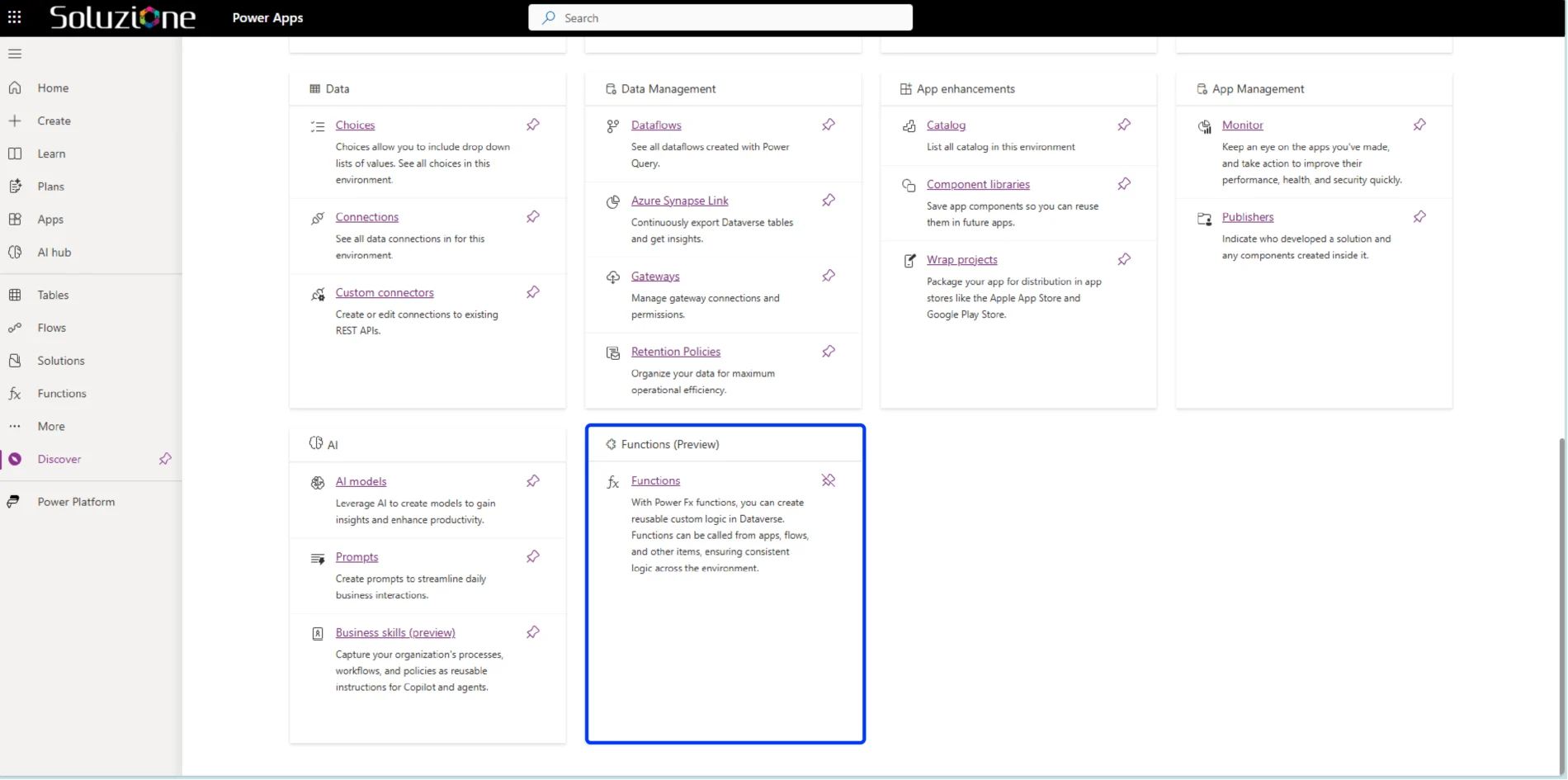
Power Fx functions are pre-built formulas that perform specific actions inside Power Apps; hence, they are often referred to as Power Apps functions. You can think of functions as instructions that help the app understand what should happen in different situations.
For example:
- A function can calculate totals
- Another function can filter records
- One function may check conditions
- Another can update databases instantly
Common Types of Power Fx Functions
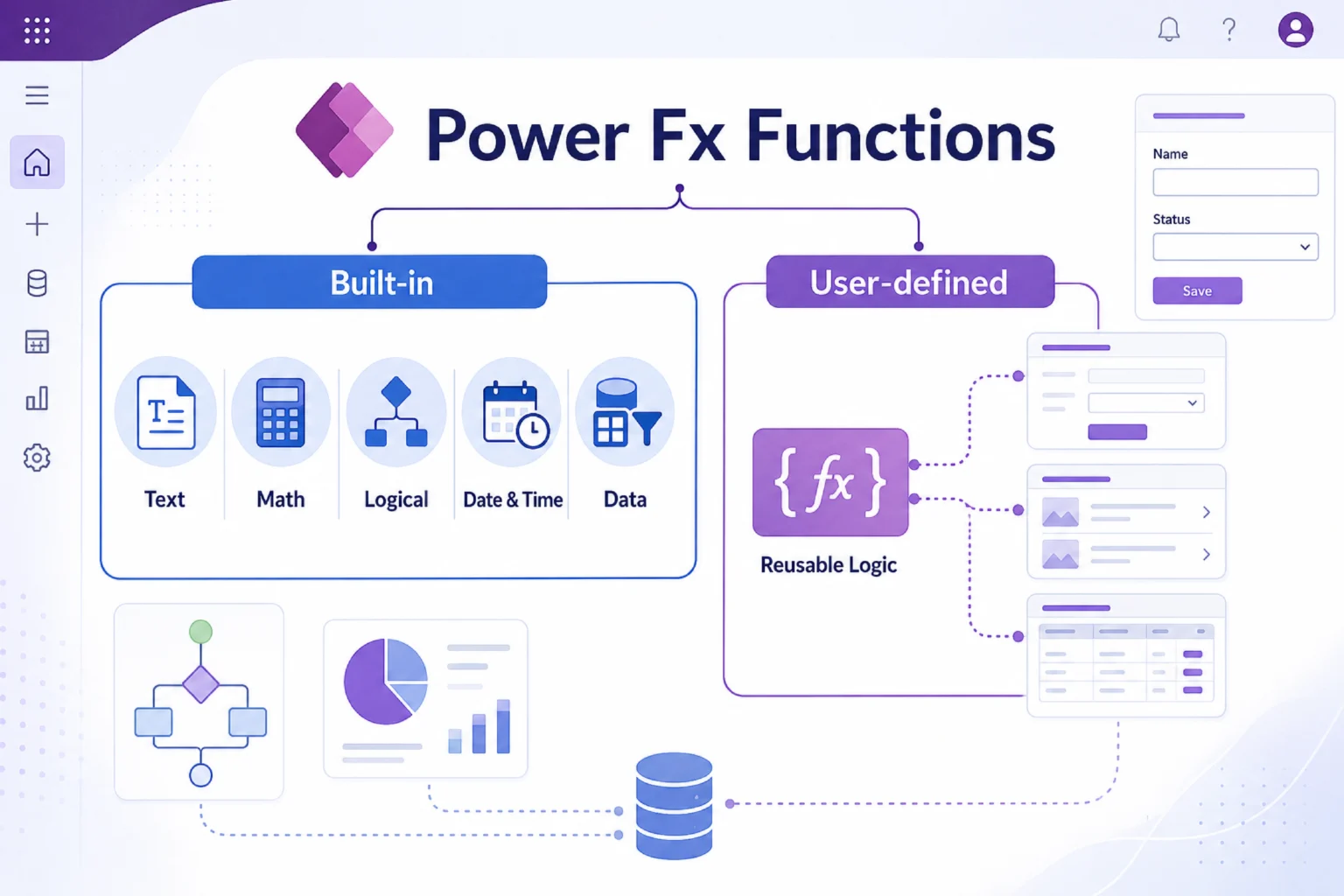
In Power Apps, functions are used behind buttons, forms, galleries, dropdowns, labels, screens, and data connections. They decide what users see, what actions happen, and how the app responds when information changes.
However, to understand Power Fx functions properly, it is useful to look at them in two broad ways:
- Built-in functions
- User-defined functions.
So, when we talk about common types of Power Fx functions, we are mostly talking about built-in functions that Power Apps already provides. But as apps grow more complex, user-defined functions become important because they help teams avoid repeating the same logic across multiple screens or controls.
Built-in Power Fx Functions
- Text Functions
Text functions help manage and organize text values inside applications. Some commonly used functions include:
- Concatenate
- Left
- Right
- Len
- Upper
- Lower
These are useful when formatting customer names, generating IDs, or cleaning entered data. For example, if an organization wants to combine the first name and last name fields into one display value, text functions make this process simple.
- Mathematical Functions
Mathematical functions handle calculations and numeric operations.
Popular examples include:
- Sum
- Average
- Round
- Max
- Min
These functions are commonly used in sales dashboards, expense tracking apps, inventory systems, financial reports, and performance dashboards.
For example, a sales manager can use Power Fx to calculate total revenue, average deal size, or monthly sales numbers directly inside a Power App without doing the calculation manually.
- Logical Functions
Logical functions help applications make decisions based on conditions. Examples include:
- If
- Switch
- And
- Or
These functions are especially useful in approval workflows and automation systems.
For example:
- If a leave request exceeds a certain number of days, it may require senior approval.
- If inventory levels fall below a limit, the system can trigger alerts automatically.
This is where Power Fx starts becoming very practical because the app is no longer just displaying information. It is helping the business follow rules automatically.
- Date and Time Functions
Date and time functions are useful for scheduling, tracking, and reporting. Common functions include:
- Today
- Now
- DateDiff
- DateAdd
These are useful for attendance tracking, project deadlines, booking systems, service reminders, renewal alerts, and SLA-based workflows. For example, a service app can calculate how many days are left before a ticket deadline or show overdue requests automatically.
- Data Functions
Data functions are among the most powerful features in Power Fx because they allow applications to work with connected data sources. Some widely used functions include:
- Filter
- LookUp
- Sort
- Patch
- Collect
These functions help retrieve, organize, update, and store records from sources such as Dataverse, SharePoint, SQL Server, Excel, and Microsoft 365. For example, an HR app can filter employees by department, while a customer service app can look up ticket details and update the ticket status after an agent takes action. This is where Power Fx becomes especially useful for business applications because most real apps need to work with live data, not just static screens.
User-Defined Power Fx Functions
User-defined Power Fx functions are custom functions created by makers to reuse the same logic in multiple places. This becomes important when an app grows and the same formula is being repeated across many screens, buttons, forms, or controls.
For example, suppose a sales app uses the same discount approval rule in three different screens:
- Below 10% discount: auto-approved
- 10% to 20% discount: manager approval required
- Above 20% discount: leadership approval required
Without a reusable function, this logic may be written separately in multiple places. If the business rule changes later, the maker has to update it everywhere, which increases the chance of mistakes.
How Do Power Fx Functions Work With Power Apps?
Power Fx functions work as the logic layer inside Power Apps. Every control in a Power App has properties. A button has an OnSelect property. A text label has a Text property. A gallery has an Items property. A form has properties for data source, validation, and submission. Power Fx formulas are written in these properties to control how the app behaves.
For example, when a user clicks a button, the formula written in the button’s OnSelect property decides what happens next. Similarly, when a gallery needs to show records, the formula in the gallery’s Items property decides which data appears. It may show all records, filter records by department, sort them by date, or search based on the user’s input.
This is how Power Fx connects the user interface with business logic. Creating an app experience that feels responsive and interactive.
Real-Time Recalculation Makes Apps More Responsive
One feature that makes Power Fx stand out is real-time recalculation. Whenever data changes, formulas update automatically.
For example:
- Updating quantities recalculates totals instantly
- Selecting filters updates records immediately
- Changing values refreshes dashboards automatically
This creates a smoother user experience and reduces the need for manual refresh processes.
This is one of the reasons Power Fx feels familiar to Excel users. Change one value, and the related result updates.
But in Power Apps, this logic is applied to business applications — forms, approvals, dashboards, service requests, sales records, inventory systems, and many other operational workflows.
In short, Power Fx functions work as the logic engine behind Power Apps. They help apps understand user actions, process business rules, work with data, and create smoother digital experiences without requiring heavy traditional coding.
How Businesses Use Power FX in Real Scenarios?
Power Fx is helping businesses simplify everyday operations by turning manual tasks into faster, more automated workflows. From approvals and reporting to customer service and employee management, organizations are using it to build practical applications that improve efficiency and decision-making.
- Employee Leave Management
HR departments often use Power Apps to simplify leave approvals.
Power Fx functions can:
- Calculate leave balances
- Check approval conditions
- Update records automatically
- Notify managers instantly
This reduces paperwork and improves process visibility.
- Sales And Reporting Dashboards
Sales teams use Power Apps dashboards to track performance in real time.
Functions like Sum and Filter help:
- Calculate revenue
- Compare regional sales
- Display top-performing products
- Analyze monthly trends
Instead of working through spreadsheets manually, teams get instant visibility into business performance.
- Customer Service Applications
Customer service teams use Power Apps to manage requests and track tickets.
Power Fx functions help:
- Retrieve customer records
- Assign tickets automatically
- Update statuses
- Send notifications
This improves response times and overall customer experience.
- Approval Workflows
Many organizations use Power Apps for internal approvals, such as:
- Purchase requests
- Expense claims
- Vendor approvals
- Document verification
Logical functions help automate approvals based on conditions, reducing delays and manual follow-ups.
Common Challenges Organizations Face
Power Fx makes app development easier, but that does not mean every formula will automatically work well. As Power Apps become more complex, businesses may face the following challenges if Power Fx functions are not planned or structured properly:
- Formula Complexity
In the beginning, formulas may be simple. But as more screens, conditions, validations, and data sources are added, formulas can become long and difficult to manage. If the same logic is repeated in multiple places, even a small business rule change can become time-consuming.
- Managing Large Data Volumes
Apps that work with large amounts of data need careful formula design. If filtering, searching, or sorting is not handled properly, the app may become slow or fail to return complete results. This is especially important when working with sources like SharePoint, Dataverse, SQL Server, or Excel.
- Delegation
In Power Apps, not every formula can process large datasets in the same way. If a function is not delegable for a specific data source, Power Apps may process only part of the data locally. This can lead to incomplete or inaccurate results if the app is handling many records.
- Governance
Governance can also become a concern when multiple users or departments start building apps independently. Without proper standards, businesses may end up with duplicate apps, inconsistent formulas, unclear ownership, and security risks.
Best Practices For Using Power Fx Functions
Using Power Fx functions effectively is not just about making apps work but also about making them scalable, easy to manage, and efficient over time. A well-structured approach helps organizations build Power Apps that remain reliable as business needs grow and evolve.
- Keep Formulas Simple & Readable
A formula should be easy enough for another maker or developer to understand later. If one formula is doing too many things at once, it may be better to break the logic into smaller parts.
- Avoid Repeating the Same Logic in Multiple Places
If the same business rule is used across different screens, consider using reusable logic, variables, components, or user-defined functions where suitable. This makes updates easier and reduces the risk of inconsistency.
- Use Clear Naming Conventions
Screens, controls, variables, collections, and functions should be named in a way that explains their purpose. This becomes very important when an app grows or when multiple people are working on it.
- Always Consider Performance
Large datasets, complex filters, and unnecessary calculations can slow down the app. Makers should understand which functions work well with their data source and where delegation limitations may apply.
- Test Applications Regularly
A formula may work correctly in one scenario but fail when the data changes, a field is empty, or a user follows a different path. Testing helps identify these issues before the app is used widely.
Final Thoughts
Power Fx functions are the foundation of how logic and automation work inside Power Apps. Without Power Fx, a Power App may have screens and controls, but it would not have the intelligence needed to support real business workflows.
What makes Power Fx especially valuable is its balance between simplicity and capability. It gives businesses the flexibility to build applications faster while still supporting scalability and customization.
For organizations exploring low-code development, understanding how Power Fx works is an important step toward building smarter and more connected business solutions.
And as business processes continue evolving, the ability to create adaptable applications quickly will become even more valuable in the years ahead. And this investment becomes even more valuable when you consider working with Power Apps Consultants like Soluzione. We help you define the right architecture, decide what should be used as the data source, and optimize Power Fx formulas so the apps remain responsive and scalable.
Read More: https://www.solzit.com/blog/
Frequently Asked Questions
How do Power Fx functions work in Microsoft Power Apps?
Power Fx functions work by controlling actions, calculations, validations, and data operations inside Power Apps. They respond to user interactions and automate processes using simple formula-based logic across applications.
What are logical, text, and data functions in Power Fx?
Logical functions manage conditions and decisions, text functions handle formatting and string operations, while data functions retrieve, filter, sort, and update records from connected business data sources efficiently.
How does Power Fx help build low-code business applications?
Power Fx simplifies application development by allowing users to create workflows, automate processes, manage data, and build responsive applications using readable formulas instead of complex programming languages or coding frameworks.
How does Power Fx handle filtering, sorting, and data manipulation?
Power Fx uses functions like Filter, Sort, Lookup, and Patch to organize, retrieve, modify, and manage business data dynamically from connected platforms such as Dataverse, SharePoint, SQL Server, and Excel.
Can Power Fx create complex business logic in Power Apps?
Yes, Power Fx can handle complex business logic using conditional formulas, automation workflows, validations, calculations, and connected data operations, making Power Apps suitable for scalable enterprise and operational applications.