In the current digital environment, businesses need operational flexibility by using software tools to enable automation and improve data analysis capabilities. The Microsoft Power Platform provides businesses with the essential tools to achieve their goals.
The Microsoft Power Platform is a low-code development platform that enables users to create applications using its components: Power Apps, Power Automate, Power BI, Power Pages, and Power Virtual Agents (now integrated into Microsoft Copilot Studio). Together, these tools enable organizations to develop applications, streamline operations, and quickly develop business solutions.
As the adoption of MS Power Platform continues to grow in the US, Australia, Canada, New Zealand, and international markets, Microsoft has introduced flexible licensing options to support organizations of different sizes. One of the most important pricing models is the Pay-As-You-Go plan, which allows businesses to pay only for the resources they use rather than committing to fixed licenses upfront. The Pay-As-You-Go system establishes a new framework for companies on initial investment limitations.
The blog post presents the Power Platform Pay-As-You-Go system, describes its pricing structure, advantages, and application scenarios in simple explanations.
- Understanding Power Platform Pricing In 2026
- What Is Power Platform Pay-As-You-Go?
- How Does The Pay-As-You-Go Model Work In Microsoft Power Platform?
- How Does Azure Billing Work With Power Platform?
- Difference Between Power Platform Pay-As-You-Go and Per-User Licensing?
- Key Benefits of Pay-As-You-Go
- 3. Ideal for Pilot Projects
- 4. Easy Scaling
- Real-Life Use Cases of Pay-As-You-Go
- Common Challenges in the Pay-As-You-Go Model
- Final Thoughts
- Frequently Asked Questions
Understanding Power Platform Pricing In 2026
Power Platform pricing depends on:
- App usage
- Number of runs
- Premium connectors
- Dataverse storage
- API calls
In Pay-As-You-Go, these elements are calculated dynamically.
For startup businesses, this model works well because:
- Startups can avoid high upfront costs.
- Mid-size companies can test solutions without long-term commitment.
- Enterprises can optimize costs for occasional users.
Cost monitoring is important. Without tracking usage, expenses can increase quickly. That’s why companies often work with Power Platform consulting services experts to design optimized solutions.
What Is Power Platform Pay-As-You-Go?
Power Platform Pay-As-You-Go is a usage-based billing model that allows users to pay for what they use. Instead of buying fixed licenses per user, your usage is billed through an Azure subscription based on actual consumption.
With this model, organizations can connect their Power Platform environment to an Azure subscription. When users run apps, workflows, or consume platform resources such as Dataverse storage, the usage is tracked using Azure meters and billed accordingly.
It is useful for companies that:
- Have seasonal or unpredictable workloads
- For testing new apps
- Do not know the exact usage
- Those who wish to avoid paying for unused licenses
This model is directly integrated with Azure subscription billing, and organizations can also monitor costs using Azure Cost Management tools and allocate expenses across departments or projects.
How Does The Pay-As-You-Go Model Work In Microsoft Power Platform?
In simple terms, it works on actual consumption. Instead of assigning a license to every user, you connect your Power Platform environment to an Azure subscription. Whenever someone runs an app or uses premium features, the usage is tracked and billed automatically.
For example:
- If a user runs a Power App that uses premium connectors, charges apply per app session.
- If you use Dataverse storage beyond the free limits, you pay based on usage.
- If workflows run frequently in Power Automate, usage is calculated accordingly.
So instead of paying a fixed monthly cost per user, you pay for the app fees and usage.
This gives flexibility and better cost control, especially for startups.
How Does Azure Billing Work With Power Platform?
When you enable Pay-As-You-Go, your Power Platform environment is linked to an Azure subscription. All usage is then billed to that subscription.
Here’s how it works:
- You connect your environment to Azure.
- Usage (like app runs, API calls, storage) is measured.
- Charges appear in your Azure bill.
- You can track spending inside the Azure Cost Management dashboard.
This setup makes billing transparent. Finance teams can see exactly how much is being spent per project. Indian companies using Azure cloud services; this model fits naturally into existing billing systems.
Difference Between Power Platform Pay-As-You-Go and Per-User Licensing?
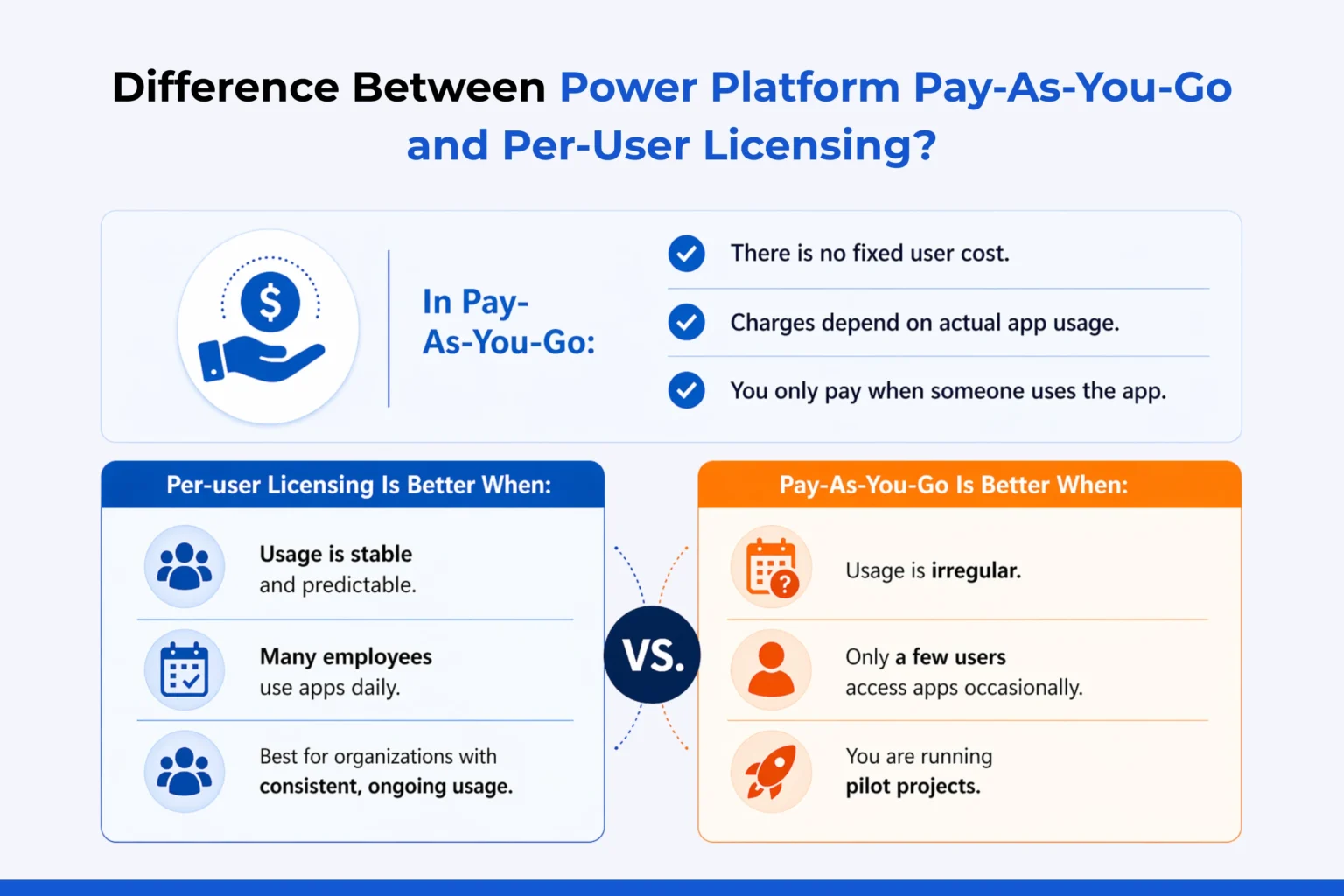
In per-user licensing, you pay a fixed monthly fee for each user license, even if they don’t use the platform much. For example, if you buy 50 licenses, you pay for all 50 each month.
In Pay-As-You-Go:
- There is no fixed user cost.
- Charges depend on actual app usage.
- You only pay when someone uses the app.
Per-user Licensing Is Better When:
- Usage is stable and predictable.
- Many employees use apps daily.
Pay-As-You-Go Is Better When:
- Usage is irregular.
- Only a few users access apps occasionally.
- You are running pilot projects.
Understanding this difference is important while planning power platform pricing for your organization.
Key Benefits of Pay-As-You-Go
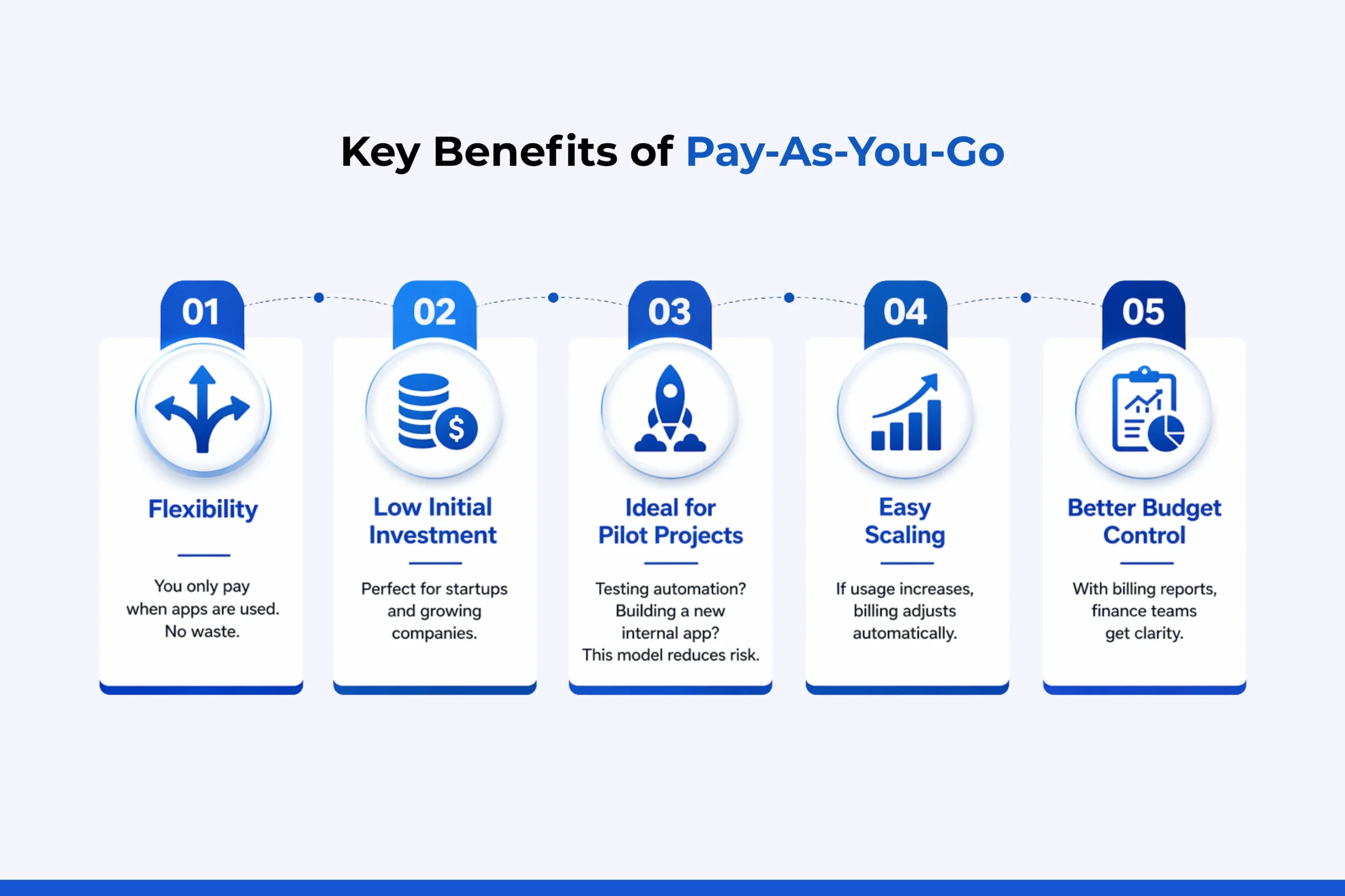
Let’s look at the main benefits:
1. Flexibility
You only pay when apps are used. No waste.
2. Low Initial Investment
Perfect for startups and growing companies.
3. Ideal for Pilot Projects
Testing automation? Building a new internal app? This model reduces risk.
4. Easy Scaling
If usage increases, billing adjusts automatically.
5. Better Budget Control
With Azure billing reports, finance teams get clarity.
Real-Life Use Cases of Pay-As-You-Go
Let’s understand practical use cases where Pay-As-You-Go works best.
1. HR Onboarding Apps
A company builds an onboarding app used only when new employees join. Instead of buying licenses for all HR staff, they pay only when the app is used.
2. Seasonal Sales Campaign
Retail businesses in India see heavy sales during festive seasons. They build temporary sales tracking apps. Pay-As-You-Go avoids year-round licensing costs.
3. Internal Approval Workflows
Small departments may use Power Automate occasionally. Paying per run is more economical than buying full licenses.
4. Data Analytics Projects
With support from Power BI consulting experts, companies build dashboards for specific projects. If dashboard access is limited and temporary, Pay-As-You-Go works better.
Common Challenges in the Pay-As-You-Go Model
While the model is flexible, businesses should consider:
- Cost unpredictability if usage spikes.
- Need for strong monitoring.
- Proper governance policies.
- Clear environment setup.
Working with professional power platform services providers ensures proper planning and avoids surprise bills. Consultants help with:
- Usage estimation
- Cost comparison
- Environment setup
- Governance framework
- Azure billing optimization
If your organization is planning to adopt or optimize Power Platform Pay-As-You-Go, Soluzione can support you in your journey. Contact us to know more.
Final Thoughts
Power Platform Pay-As-You-Go is a smart, flexible pricing option in 2026. It helps businesses optimise costs while enjoying the full benefits of automation, app development, and analytics.
However, choosing the right licensing model requires careful planning. Understanding your usage patterns, growth plans, and budget goals is essential before making a decision.
If you are evaluating your power platform pricing strategy or planning to implement new solutions, Soluzione can support you in your journey. Contact us to know more.
With the right guidance and proper setup, Pay-As-You-Go can become a cost-effective and scalable choice for your business transformation.
Read More: https://www.solzit.com/blog/
Frequently Asked Questions
How Do I Enable Pay-As-You-Go In Power Platform?
You enable it from the Power Platform Admin Center by linking your environment to an Azure subscription under billing settings.
When Should Businesses Choose Pay-As-You-Go Over Fixed Licensing?
Businesses should choose it when usage is irregular, during pilot projects, seasonal operations, or when only a few users need premium features.