If you’re reading this, you’re probably in the same boat as most of the Xero and Dynamics 365 CRM users out there.
You’re running sales and customer data in Dynamics 365 CRM, but your accounting depends on Xero. Every time a deal closes, someone has to manually create an invoice in Xero. When a customer pays in Xero, you’re jumping back and forth to update the status in Dynamics so the sales team knows it’s paid. Sound familiar?
Double data entry. Missed or delayed payment updates. Inaccurate reports. Wasted hours every single week.
This is exactly why connecting Dynamics 365 CRM to Xero has become such a common need. In this post, we’ll show you a simple no-code way to integrate Xero with Dynamics 365 CRM, so everything stays in sync automatically.
Key Reasons for Integrating Xero and Dynamics 365 CRM
In any organization, achieving scalability requires seamless synchronization across all processes, departments, and systems. It’s imperative not only to align functions such as sales, finance, and customer service but also to ensure that the underlying systems facilitate this integration effectively to meet organizational objectives.
A prime example of this necessity is the CRM accounting integration—specifically, Dynamics 365 CRM with Xero. Here are the key reasons for this integration:
– Simplified Financial Management
Currently, when sales teams generate quotes or orders in Dynamics 365, finance personnel must manually re-enter this data into Xero. This duplication of effort not only increases the workload but also heightens the potential for errors.
– Enhanced Customer Insights
Payments processed in Xero often leave the sales team uninformed until notified by another party. This disconnect fosters communication gaps and hinders timely follow-ups, ultimately affecting customer engagement.
– Real-time Data Accuracy
Maintaining separate instances of customer contacts and accounts across both systems can lead to rapidly outdated information. To mitigate this, it is crucial to implement mechanisms for real-time, automated updates across both platforms.
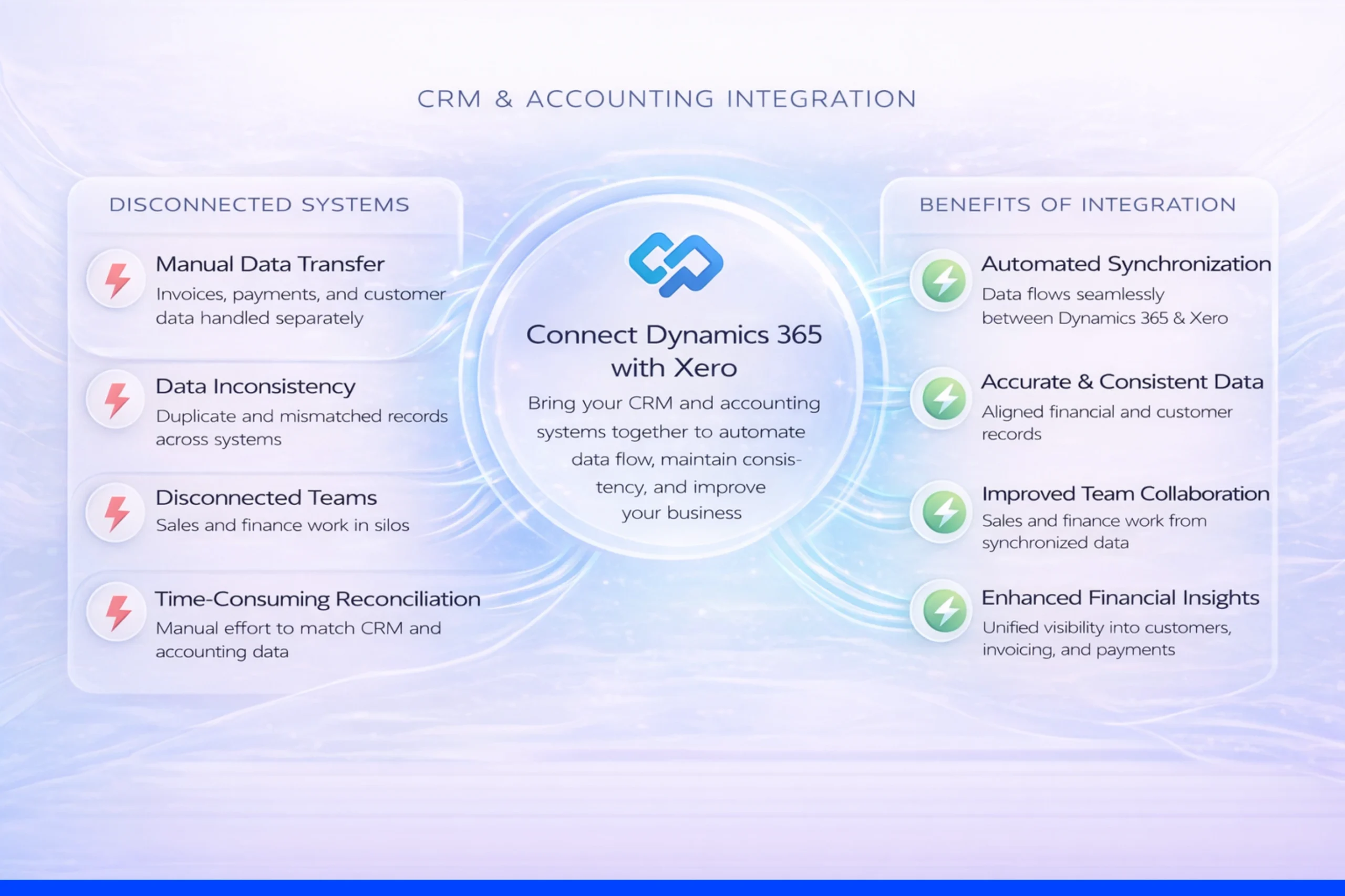
Basically, the need to easily implement processes between the two systems, automate workflows, manage finances, reduce errors, and improve decision-making is what drove the need for integration.
A well-executed CRM integration with accounting software ensures that customer records, invoices, payments, product details, and tax rates remain synchronized between the two systems—automatically updating and eliminating inconsistencies. This interconnected framework is essential for driving organizational efficiency and responsiveness.
What Are the Main Ways to Integrate Xero with Dynamics 365 CRM?
There are two broad approaches:
1.Coding / Custom Development Methods
Building a custom integration using Xero APIs, Power Automate flows with custom code, Azure Logic Apps, or hiring developers to write scripts. This works, but it’s expensive, time-consuming, requires ongoing maintenance, and isn’t ideal if you want something quick and reliable.
2. No-Code Methods (Recommended for most businesses)
- Dedicated Connectors – There are purpose-built third-party Dynamics 365 add-ons made specifically for this integration.
- General automation tools like Zapier (good for simple triggers, but limited for complex two-way sync).
- Data integration platforms like Skyvia or DBSync
Among these, the cleanest and most reliable no-code option for most Dynamics 365 users is a dedicated connector.
The Easiest No-Code Solution: Soluzione Xero Accounting Connector
Soluzione is a Microsoft Solutions Partner, specializing in Copilot, Dynamics 365, and Power Platform services. To help organizations, they have developed several Microsoft Dynamics 365 add-ons, including Activity Timeline, Notify365, Report Scheduler, and Accounting Connectors for Xero, QuickBooks, and MYOB.
Xero accounting connector is a native Dynamics 365 add-on specifically built for businesses that use Dynamics 365 CRM for sales/operations and Xero for accounting. Here’s what it actually does:
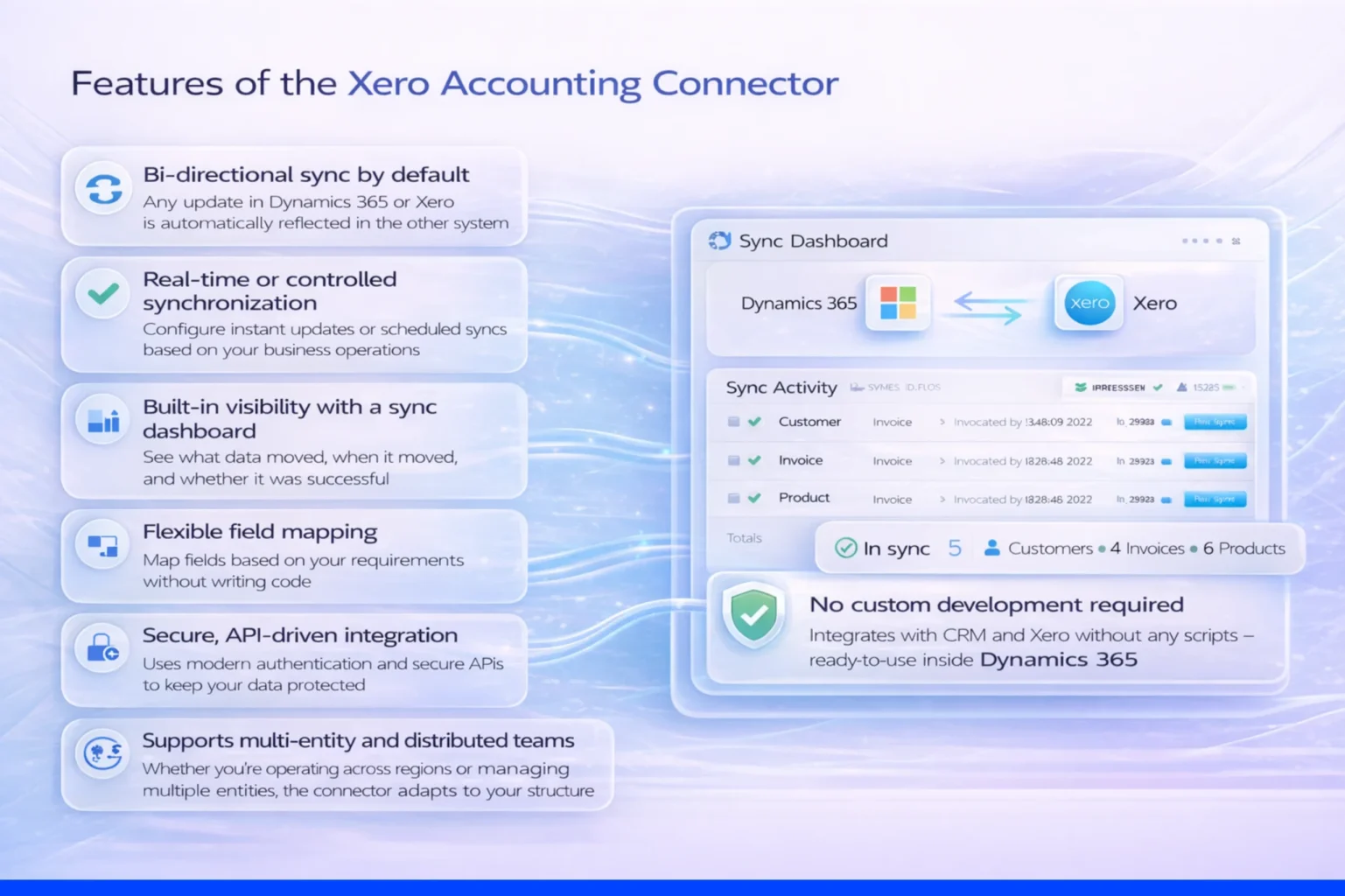
– Bi-directional sync by default
Any update in Dynamics 365 or Xero (such as customer records, invoices, payments, products, tax rates, and the chart of accounts) is automatically reflected in the other system
– Real-time or controlled synchronization
Whether you want instant updates or scheduled syncs, you can configure it based on how your business operates.
– Built-in visibility with a sync dashboard
The dashboard shows what data moved, when it moved, and whether it was successful.
– Flexible field mapping
Every business structures data differently. You can map fields based on your requirements without writing code.
– Secure, API-driven integration
Uses modern authentication and secure APIs to ensure your financial and customer data remain protected.
– Supports multi-entity and distributed teams
Whether you’re operating across regions or managing multiple entities, the connector adapts to your structure.
– No custom development required
Integrating add-ons with both CRM and Xero doesn’t require any scripts; instead, you will have a ready-to-use integration inside Dynamics 365 that will be up and running with minor steps that any CRM user can easily do.
What Changes with Xero Accounting Connector?
Once it’s running, here’s what our customers tell us changes:
- Sales team sees payment status directly in the Dynamics invoice record
- Finance stops re-keying data entirely
- No more “where’s that invoice?” emails between teams
- Accurate, real-time reporting across CRM and accounting
- Fewer errors, fewer credit notes, faster month-end close
- Everyone works in the system they’re comfortable in – no one is forced into the other tool
Final Thoughts
Integration isn’t just about connecting two software systems — it’s about fixing how teams work, how data flows, and how your entire process runs.
If you’re using Dynamics 365 and Xero separately, you’re already experiencing the impact of disconnected systems — duplicate entries, delayed updates, and unnecessary errors. And while custom coding is always an option, it’s not always the most practical or sustainable one.
A no-code, ready-to-use add-on like the Xero Accounting Connector offers a simpler and more reliable way to bring both systems together. It helps keep your data aligned, reduces manual effort, and makes everyday operations smoother without adding complexity.
If this is something you’re currently dealing with, it’s worth seeing how it works in practice. You can explore it further by booking a free demo at www.solzit.com or reaching out to discuss your specific requirements.
Read More: https://www.solzit.com/blog/
Frequently Asked Questions:
What data can be synced between Xero and Microsoft Dynamics 365?
The integration typically covers the data that both sales and finance teams rely on daily. This includes customer records (accounts/contacts), invoices, payments, products, tax rates, and chart of accounts.
How long does Xero to Dynamics 365 integration take to configure?
For a ready-to-use connector, the setup is usually quick — often done within a few minutes to a few hours depending on how complex your data structure is. Basic configurations like connecting systems and mapping standard entities are straightforward. More detailed setups (like custom field mapping or multi-entity structures) may take a bit longer, but still don’t require a full development cycle.
Does Xero connector support two-way sync for Dynamics 365?
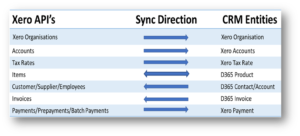
Yes, most modern connectors support two-way (bi-directional) synchronization, but it’s usually controlled based on the type of data.
How secure is the data transfer between Xero and Dynamics 365?
Data transfer between Xero and Dynamics 365 is handled through secure APIs with modern authentication methods (like OAuth).
This means data is encrypted during transmission and access is controlled through authorized connections. In practice, it follows standard enterprise-grade security approaches used by both Microsoft and Xero ecosystems.
How does real-time sync improve financial accuracy and reporting?
Invoices created in CRM are reflected immediately in accounting, and payment updates flow back without lag. This reduces mismatches, eliminates duplicate entries, and ensures reports are based on the latest data, which is critical for accurate financial tracking and decision-making.
Can I customize the sync settings based on my business requirements?
Yes, you can define what data should sync, how often it should sync, which fields should map between systems, and even control sync triggers based on specific actions.