Research suggests that between 30% to 50% of CRM projects fail to achieve their intended goals, even after everything seems to be set up correctly. Customer Relationship Management (CRM) systems are often seen as the heart of a business. Companies invest in these systems hoping to gain better insights, improve sales, streamline operations, and keep their customers happy.
So, what goes wrong with CRM implementation?
While the CRM software itself can contribute to these issues, there are many other reasons for these failures. Luckily, Microsoft Dynamics 365 offers solutions to these problems through its CRM tools, automated workflows, smart features powered by AI, and its ability to connect with other business systems.
In this article, we’ll explore why CRM projects face difficulties even after a successful launch and how Dynamics 365 can help businesses create a more effective and interconnected customer management process. Let’s dive in!
What Are the Key Reasons for CRM Failures After Go-Live?
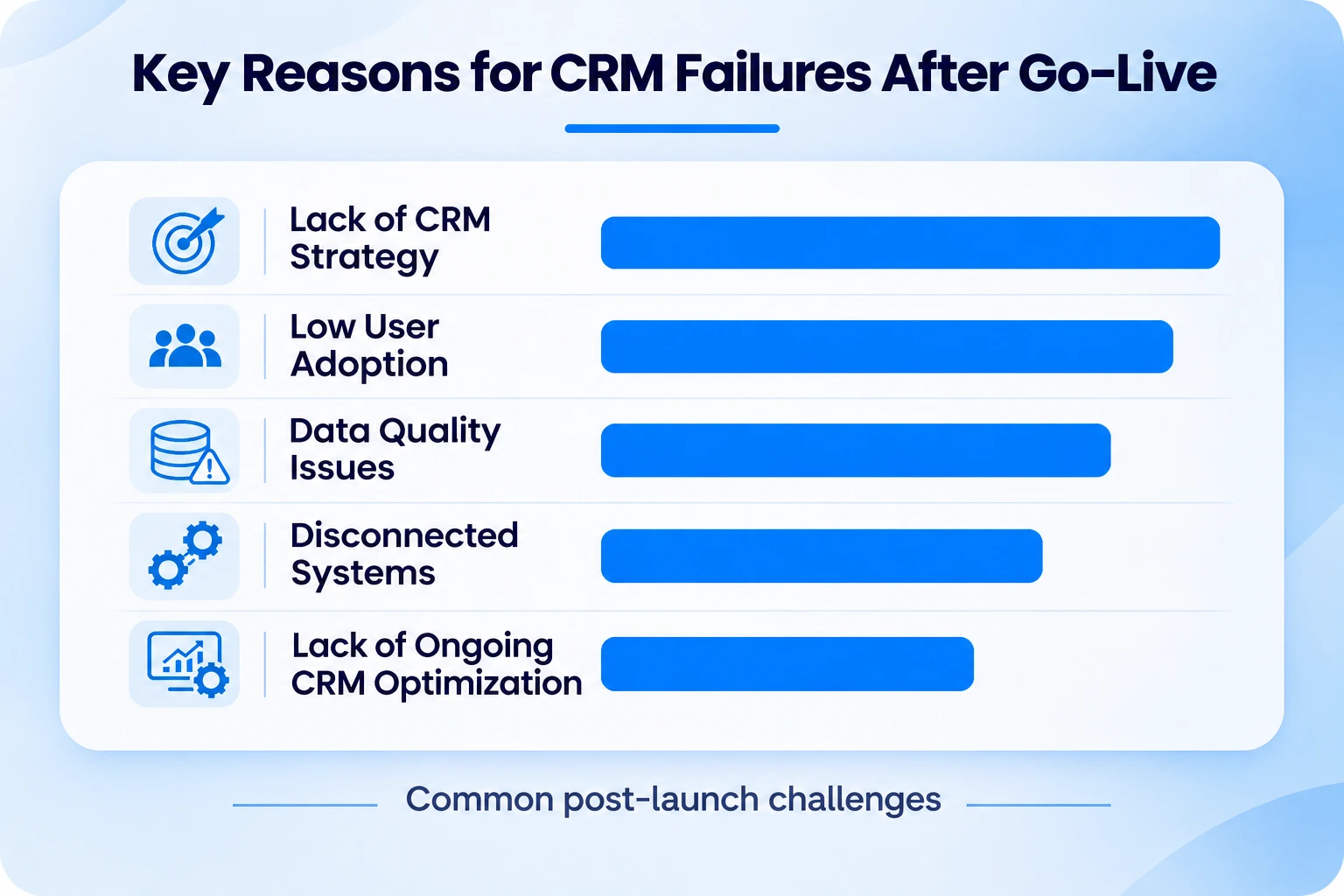
A CRM is not just a database to store customer information. It helps teams across sales, marketing, customer service, and operations work together and manage customer relationships more effectively. However, when the underlying business processes are unclear, even the most advanced CRM platform may fail to deliver the expected outcomes.
1. Lack of CRM strategy
A CRM implementation can look successful on paper, but it can still fail to deliver meaningful business outcomes. Generally, a CRM is implemented to standardize customer data, improve team operations, and enhance account management. But if the outcomes aren’t clearly defined, the entire project can become a failure.
2. Low User Adoption
Even the best CRM tool solutions fail if they do not deliver the expected results. As per recent reports, more than 50% of CRM failures occur due to limited user adoption. If your team finds the platform confusing or struggles to understand its features, they may continue relying on traditional methods, such as spreadsheets and emails, instead of using the CRM consistently.
3. Data Quality Issues
A CRM system works well when it has reliable and up-to-date data inside it. Duplicate entries, outdated phone numbers, inconsistent account names, and missing fields can make customer records unreliable.
This results in migrating incorrect data that can disrupt the entire new system. And when this uncleaned data enters the systems, it can lead to chaos, and employees are less likely to use it. Integrations can make it even worse when multiple tools write to the CRM without validation, deduplication, or governance rules.
4 .Disconnected Systems
Customer data does not live in CRM alone. It is spread across multiple channels such as emails, ERP, customer support, accounting, and communication tools. Thus, without an effective CRM integration, employees often have to switch between multiple platforms to understand the customer’s history. Plus, the data also has to be entered manually multiple times and in multiple places, which can lead to errors and inconsistencies.
5 .Lack of Ongoing CRM Optimization
Implementing a CRM system is just the beginning. As a business grows, its processes change, teams expand, and customer expectations evolve. Thus, businesses should also update their CRM system with these changes to remain effective. Without ongoing CRM optimization, the platform slowly becomes outdated.
Even today, many companies think go-live is the end of the implementation process. They often ignore continuous data reviews, user feedback, system updates, and do not automate repetitive tasks. In the end, the CRM becomes a static system instead of a growth engine.
Also Read: https://www.solzit.com/how-to-choose-the-right-crm-for-your-small-business-in-the-us/
How Microsoft Dynamics 365 Fixes CRM Failure
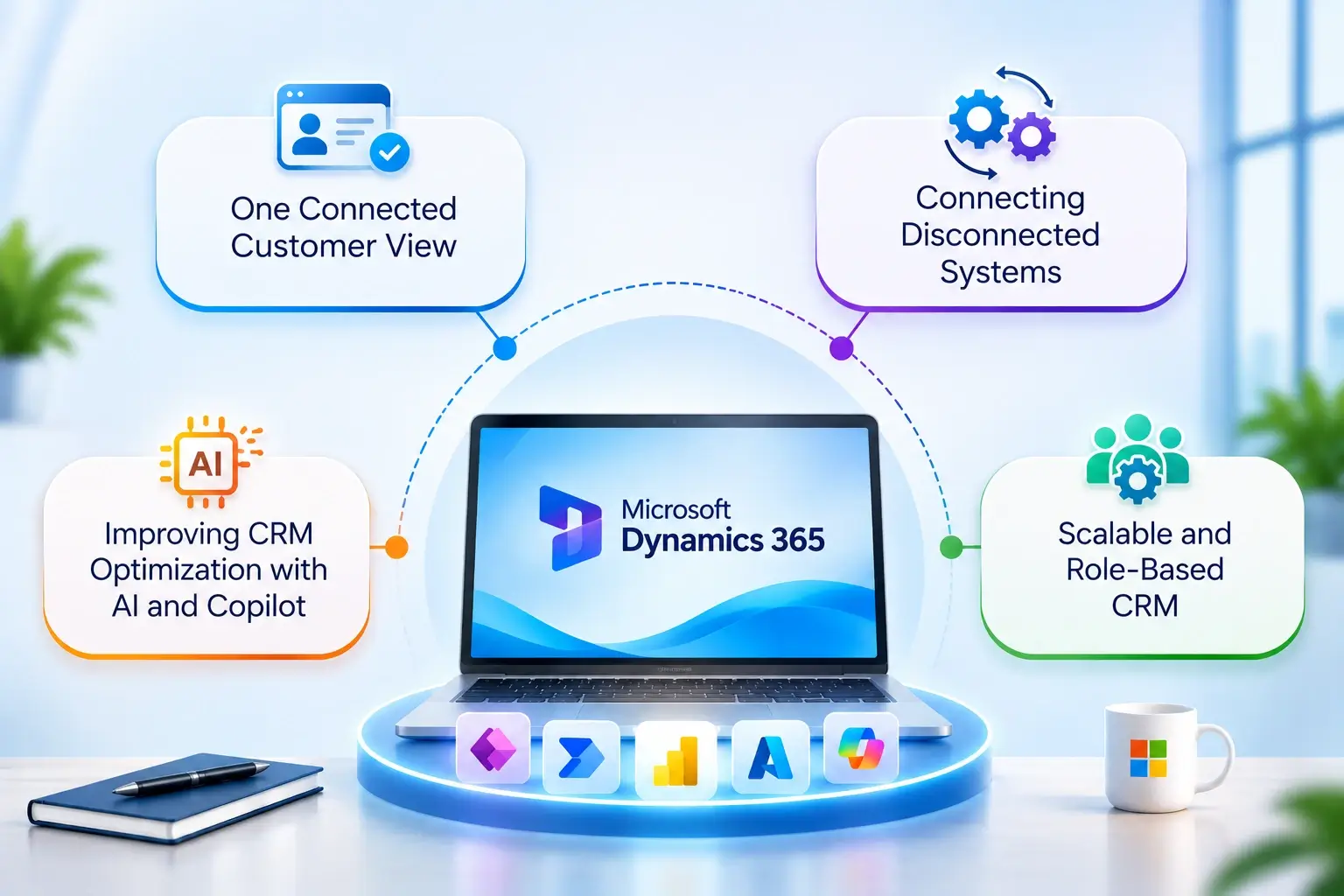
Microsoft Dynamics 365 offers a connected approach. It helps businesses connect customer information, streamline business processes, and use AI-powered features to support teams across different departments.
1. One Connected Customer View
Dynamics 365 Customer Insights helps businesses fetch customer data from multiple sources into one unified view. Instead of working across scattered records across multiple systems (like sales and marketing), the service teams can now access data from one single point and make better decisions.
This shared context helps a lot because customers do not want to interact with multiple departments. They expect every team to know their complete details, like history, preferences, open requests, and previous conversations.
Thus, with unified profiles, your sales team can understand the full relationship context very well, while the service and marketing teams can provide more relevant and personalized experiences.
2. Connecting Disconnected Systems
Dynamics 365 CRM is designed and built on Microsoft Dataverse, which is responsible for connecting the business data along with Microsoft tools such as Power Apps, Power Automate, Power BI, and Azure services.
These capabilities allow organizations to:
- Integrate CRM with ERP, finance, marketing, customer service, and custom-built applications.
- Use prebuilt connectors and custom integrations to exchange data between supported Microsoft and third-party systems.
- Automate repetitive tasks such as lead assignments, follow-up reminders, approval requests, and case escalations.
- Use Power BI dashboards to track sales performance, customer activity, and business metrics without relying on manually updated spreadsheets.
By selecting the right integration approach, businesses can reduce manual work, improve data consistency, and help teams make decisions using more connected information.
3. Improving CRM Optimization with AI and Copilot
Dynamics 365 does not just store customer data. Rather, it should help businesses understand their data, identify opportunities, and make better decisions. Microsoft Dynamics 365 is backed by AI-powered insights to:
- Analyse forecasts
- Track conversion rates
- Understand win rates.
- Monitor team performance
These insights help managers make more informed decisions, while the autonomous agents can keep your CRM data accurate and up to date.
Microsoft Dynamics Customer Insights also includes Copilot capabilities. Depending on the available features, users can assess data quality, create customer segments, build customer journeys, and refine marketing content using natural language.
These tools make the CRM data more useful and accessible to business teams. Rather than relying solely on IT specialists for every analysis or adjustment, employees can leverage AI to identify opportunities, improve customer engagement, and support ongoing CRM optimization. As a result, businesses can make better decisions and plan their strategies as needed.
Check This: Maximize Your ROI by Switching from Salesforce to Microsoft Dynamics 365
4. Scalable and Role-Based CRM
A CRM system fails when every team member has to follow the same workflow. But Dynamics 365 CRM helps businesses configure their CRM around specific roles, departments, and business requirements.
Sales teams can manage leads, opportunities, quotes, and sales forecasts, while customer service teams can track cases, service-level agreements (SLAs), and knowledge articles. On the other hand, marketing teams can leverage Dynamics 365 Customer Insights to create targeted campaigns and personalized customer journeys.
The best thing: Dynamics 365 is part of the Microsoft ecosystem, and businesses can start slowly and expand gradually within it.
Because Dynamics 365 is part of the broader Microsoft ecosystem, businesses can start with the modules they need and expand as they grow. This reduces implementation complexity and helps teams adopt the platform in manageable stages.
Explore this: Why Should You Choose Dynamics 365 as Your CRM?
Summing Up
The reason many CRM projects fail to deliver expected outcomes is rarely the software itself. More often, the challenge lies in how the system is adopted, integrated, and aligned with business objectives.
Organizations that view CRM as a long-term business strategy rather than a one-time technology project are more likely to achieve meaningful results. By addressing common post-implementation challenges and leveraging capabilities such as automation, analytics, AI, and system integration, businesses can transform their CRM from a record-keeping tool into a platform for growth.
Microsoft Dynamics 365 provides the flexibility and intelligence needed to support this transformation, helping organizations create connected customer experiences, improve operational efficiency, and drive better business outcomes.
At Soluzione, we help businesses implement and optimize Microsoft Dynamics 365 solutions that align with their business goals and deliver meaningful results. Looking for expert help with CRM implementation or optimization? Contact Soluzione today and discover how our Microsoft Dynamics 365 consulting services can help.
Read More Like This: Blog | Dynamics CRM Blog for Developers & Experts
Frequently Asked Questions
How does Microsoft Dynamics 365 solve CRM challenges?
Microsoft Dynamics 365 CRM addresses some common CRM challenges through intelligent automation, real-time insights, flexible customization, and seamless integration capabilities. It helps businesses streamline their customer relationship management, improve team collaboration, automate repetitive tasks, and gain a complete view of customer interactions across the organization.
Can Dynamics 365 integrate with existing business applications?
Yes. One of the key advantages of Dynamics 365 integration is its ability to connect with a wide range of business applications, including ERP systems, marketing platforms, finance software, and third-party tools. This enables organizations to centralize data, eliminate information silos, and create more efficient business process automation across departments.
How long does a Dynamics 365 CRM implementation typically take?
The implementation timeline depends on factors such as business size, complexity, customization requirements, and data migration needs. A well-planned project supported by experienced Dynamics 365 consulting experts can help ensure a smooth deployment while minimizing the disruption to daily operations.
Is Dynamics 365 a future-ready CRM solution?
Yes. With built-in AI capabilities, cloud scalability, advanced automation, and continuous Microsoft innovation, Dynamics 365 CRM is designed to support evolving business needs while helping organizations remain competitive in a rapidly changing market.
References
https://medium.com/@shreyaghosh8/why-most-crm-systems-fail-after-implementation-and-how-saas-companies-can-fix-it-edd58471ac14
https://atyantik.com/blog/why-crm-projects-fail/
https://c5insight.com/why-crm-implementations-fail/
https://enterprise.trangotech.com/blog/the-reasons-d365-implementations-fail/
https://msdynamicsworld.com/blog-post/why-your-crm-fails-without-proper-integration-and-how-fix-it-fast