In early December 2025, Microsoft announced a significant global update to pricing and packaging for selected commercial Microsoft 365 suites and standalone components. This update affects Enterprise (Office 365 E1/E3/E5, Microsoft 365 E3/E5), Business (Basic, Standard, Premium), Frontline (F1/F3), and Government equivalents. While standalone Microsoft Teams and Copilot SKUs are not included.
Key timelines that a user should know:
- June 2026: Packaging updates (new features) begin rolling out, with notifications in the Microsoft 365 Message Center at least 30 days in advance.
- July 1, 2026: New pricing takes effect.
- August 2026: Most changes will be complete.
If you manage Microsoft 365 licensing for your organization, this guide is what you need to know about Microsoft 365 price increases.
- Why Is Microsoft Updating Microsoft 365 License Prices in 2026?
- What are the Microsoft 365 Price Changes 2026 (USD List Prices, Approximate)
- What New Features in Microsoft 365 Are Rolling in 2026?
- How Microsoft 365 Pricing Changes Impact Existing Customers
- How Should Microsoft 365 License Users Plan the Renewal
- The Bottom Line
- Source
- Frequently Asked Questions
Why Is Microsoft Updating Microsoft 365 License Prices in 2026?
Today, over 430 million people use Microsoft 365 apps, which include over 90% of Fortune 500 companies. Microsoft’s official rationale ties the price increase to years of accumulated investment plus new capabilities being added to the suites rather than being sold as separate add-ons:
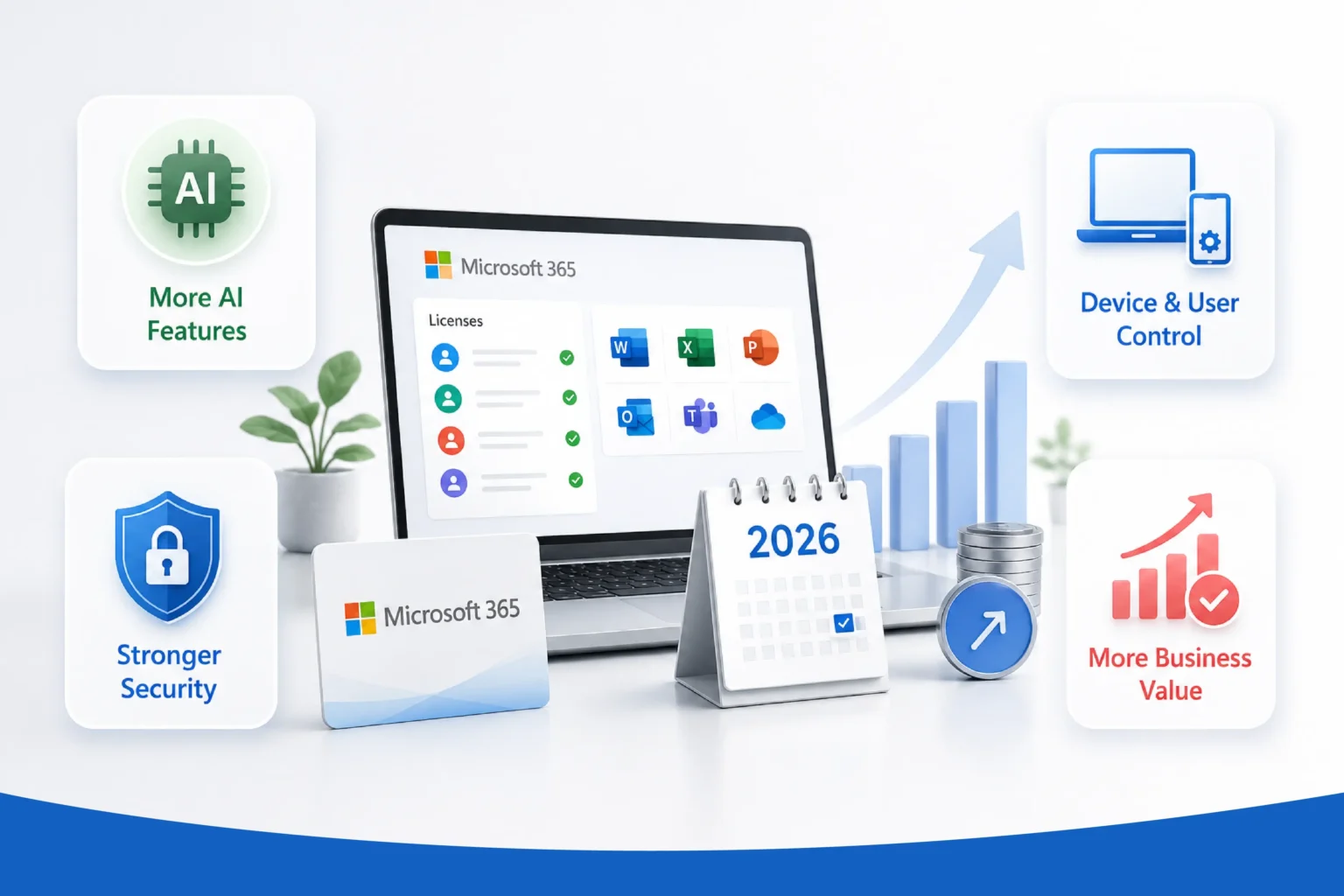
Here are the main drivers behind price hikes and package updates as per Microsoft’s announcement:
- AI expansion
Broader access to Microsoft 365 Copilot Chat (with enhancements like inbox/calendar awareness and agents in Word, Excel, and PowerPoint), Copilot Chat Analytics, and related productivity tools to help users create documents, analyze data, and collaborate more effectively.
- Security enhancements
Adding Microsoft Defender for Office 365 Plan 1 (anti-phishing, malware protection), URL time-of-click protection (scans links in real-time), and other advanced threat defenses.
- IT and endpoint management
New Intune features (Remote Help, Advanced Analytics, Plan 2, Privilege Management, Application Management), Microsoft Cloud PKI, and more to help IT teams detect issues faster, manage devices proactively, and improve productivity.
- Overall value
Microsoft highlights releasing over 1,100 features across Microsoft 365, Security, SharePoint and Microsoft Copilot in the prior year. This is the first major global commercial price adjustment since 2022.
In short, Microsoft is bundling several previously separate (or newly built) capabilities into existing suites, and pricing those suites accordingly.
What are the Microsoft 365 Price Changes 2026 (USD List Prices, Approximate)
We have gathered US prices that will vary by region/currency and contract type. Here are key commercial examples (with Teams unless noted):
1. Enterprise suites (with Teams)
| Plan | Old Price (per user per month) | New Price (per user per month) |
| Office 365 E1 | $10.00 | $10.00 |
| Office 365 E3 | $23.00 | $26.00 |
| Office 365 E5 | $38.00 | $41.00 |
| Microsoft 365 E3 | $36.00 | $39.00 |
| Microsoft 365 E5 | $57.00 | $60.00 |
2. Frontline suites (with Teams)
| Plan | Old Price (per user per month) | New Price (per user per month) |
| Microsoft 365 F1 | $2.25 | $3.00 |
| Microsoft 365 F3 | $8.00 | $10.00 |
3. Business suites (with Teams)
| Plan | Old Price (per user per month) | New Price (per user per month) |
| Microsoft 365 Business Basic | $6.00 | $7.00 |
| Microsoft 365 Business Standard | $12.50 | $14.00 |
| Microsoft 365 Business Premium | $22.00 | $22.00 |
4. Selected standalone components
| SKU | Old Price (per user per month) | New Price (per user per month) |
| Purview Suite | $12.00 | $12.00 |
| Defender Suite | $12.00 | $12.00 |
| Microsoft 365 Apps | $36.00 | $42.00 |
| Microsoft 365 Apps (per device) | $12.00 | $14.00 |
| Apps for Business | $8.25 | $10.00 |
| Entra Plan 1 | $6.00 | $7.00 |
| Entra Plan 2 | $9.00 | $10.00 |
| Windows E3 | $6.63 | $7.63 |
| Windows E5 | $11.81 | $12.81 |
| Windows Enterprise (per device) | $5.85 | $7.63 |
| Enterprise Mobility + Security (EMS) E3 | $10.60 | $12.00 |
| Enterprise Mobility + Security (EMS) E5 | $16.40 | $18.00 |
Things worth noting: Office 365 E1 and Microsoft 365 Business Premium prices are not increasing. However, versions of these suites that do not include Teams are experiencing larger percentage increases because the discount for not having Teams decreases compared to the price for those that do include Teams.
For government customers, the price increases are smaller, ranging from 5% to 8% for most G3/G5 SKUs. Additionally, U.S. federal procurement rules stipulate that any increase exceeding 10% must be implemented gradually over multiple years rather than all at once.
Nonprofit pricing will adjust in line with commercial pricing since nonprofit rates are set as a fixed discount of 60% to 75% off the commercial list price.
What New Features in Microsoft 365 Are Rolling in 2026?
Microsoft is positioning this as a packaging upgrade, not just a price increase. Rolling out between June and August 2026:
- Office 365 E1/E3/E5: URL time-of-click protection, Microsoft Defender for Office 365 Plan 1 (E3), Copilot Chat enhancements and analytics
- Microsoft 365 E3: Adds Defender for Office 365 Plan 1, Intune Remote Help, Intune Advanced Analytics, Intune Plan 2
- Microsoft 365 E5: All E3 additions, plus Microsoft Security Copilot, Intune Endpoint Privilege Management, Microsoft Cloud PKI, Intune Enterprise Application Management
- Business Basic/Standard/Premium: +50GB of mailbox storage, URL time-of-click protection (Basic/Standard), Copilot Chat enhancements
Determining whether this trade-off is fair depends on whether your organization was already investing in similar capabilities through Defender, Intune, or Entra. If you were bundling these services, it could lower your overall spending, even if the base license price increases. However, if you weren’t using those tools before, you may end up paying more for features you might not need at this time.
How Microsoft 365 Pricing Changes Impact Existing Customers
Microsoft has confirmed that existing customers will maintain their current pricing until their next renewal, which will occur after July 1, 2026. This means there won’t be any forced mid-term price changes. Customers will receive at least 30 days’ notice in the Microsoft 365 Message Center (found in the admin center) before any packaging changes affect their tenant.
It’s important to note that “staying on current pricing until renewal” is precisely why the timing of your actions matters now rather than later.
How Should Microsoft 365 License Users Plan the Renewal
1. Review your current usage and needs
Audit licenses, usage reports, and upcoming feature rollouts to decide on upsells (e.g., to E3/E5 or adding Copilot where beneficial).
2. Renew or upgrade before July 1, 2026
This locks in pre-increase pricing for the new term and ensures continuity.
3. Explore options
Consider multi-year terms (new 3-year options for some E3/E5 in CSP), bundling with Copilot, or shifting to higher tiers for the added value. Negotiate with your Microsoft partner or licensing specialist, as enterprise deals often include discounts.
4. Budget impact
For large organizations, even single-digit percentage increases can add up significantly, especially combined with other recent licensing shifts (e.g., volume discount changes).
5. Monitor communications
Watch the Message Center and Microsoft 365 Roadmap for exact rollout dates.
The Bottom Line
The price hikes reflect Microsoft’s push toward an AI-first, more secure productivity platform. While costs are rising, many organizations may find the bundled security, management, and Copilot enhancements justify the value—especially if you were previously buying these as add-ons. Proactive planning before July 2026 is key to minimizing budget surprises and maximizing the new capabilities.
If you’re not sure where to start, that’s where Soluzione comes in. As a Microsoft licensing partner, we can pull up your renewal dates, map which of your licenses are affected, and determine whether an early renewal makes sense for your seat count. Reach out to us before your renewal window closes, and we’ll walk through the numbers with you.
Note: Pricing shown is U.S. list price in USD as published by Microsoft and is subject to change by country and currency. Confirm exact figures for your region and licensing program on the Microsoft official site or reach out to us.
Source
- Microsoft 365 Pricing and Packaging Updates | Microsoft Licensing ResourcesAdvancing
- Microsoft 365: New capabilities and pricing update | Microsoft 365 Blog
Frequently Asked Questions
How often does Microsoft adjust its licensing prices?
Microsoft does not follow a rigid annual schedule but makes adjustments periodically, often every few years for major global list-price changes. The 2022 increase was the first significant commercial one in about a decade. Smaller or regional adjustments (currency, specific SKUs, or add-ons) occur more frequently. The 2026 update is framed as the next major global commercial pricing and packaging change, driven by added AI, security, and management features.
How can businesses identify unused or underutilized licenses?
To identify unused or underutilized licenses, use these methods:
- Microsoft 365 Admin Center: Go to Users > Active Users (export CSV) or Reports > Usage to check last sign-in dates, mailbox activity, Teams/OneDrive/SharePoint usage, etc.
- Entra ID / Azure AD: Review sign-in logs for inactive accounts (e.g., 60–90+ days no activity).
- PowerShell / Microsoft Graph: Scripts can identify licenses on disabled, never-logged-in, or inactive users and export detailed reports.
- Third-party tools: SAM platforms or specialized scripts automate detection across large tenants.
Common findings include departed employees, test accounts, and users on premium licenses who only need basic features. Regular audits (quarterly) help reclaim 5–15% of licenses.
How can organizations reduce Microsoft 365 licensing costs?
Here are the following methods by which we have reduced Microsoft 365 licensing costs significantly:
- License harvesting: Remove or reassign licenses from inactive/departed users (quick 5–10% savings).
- Right-sizing tiers: Downgrade users from E5 to E3 (or Business Premium to Standard/Basic) based on actual usage.
- Usage audits: Eliminate unassigned licenses, shared mailboxes without licenses (under 50GB), and over-provisioned add-ons.
- Optimize commitments: Choose annual over monthly billing where possible; negotiate at renewal.
- Mix plans: Use Frontline (F1/F3) for deskless workers, Business plans for SMBs under 300 users.
- Other levers: Group-based licensing, automation for offboarding, and exploring nonprofit/education/government pricing if eligible.
Organizations often achieve 15–30%+ savings through systematic optimization without losing needed capabilities.
Can bundling Microsoft products help reduce licensing costs?
Yes, bundling (e.g., Microsoft 365 suites vs. standalone components) often provides better value because the bundle price is lower than the sum of individual parts. Suites like Microsoft 365 E3/E5 or Business Premium integrate Office apps, email, Teams, security (Defender, Intune), and more efficiently. However, over-bundling (assigning everyone the highest tier) creates waste—right-size by user role instead.
Which Microsoft 365 plan offers the best value for small businesses?
For most small businesses (under 300 users):
- Microsoft 365 Business Premium is frequently the best overall value. It includes desktop/web/mobile Office apps, 1TB storage, business email, Teams, advanced security (Defender for Business, Intune, Entra ID P1), and device management—at a competitive price point.
- Business Standard suits teams needing full desktop apps but lighter security.
- Business Basic works for very cost-sensitive or mobile-only roles.
Evaluate based on needs: security/compliance requirements often make Premium the sweet spot, as add-ons for equivalent protection would cost more separately. Mix plans (e.g., Premium for most, Basic for some) for optimal savings.